Common Mistakes to Avoid During Cell Phone Screen Repair
Understanding the Need for Screen Repair
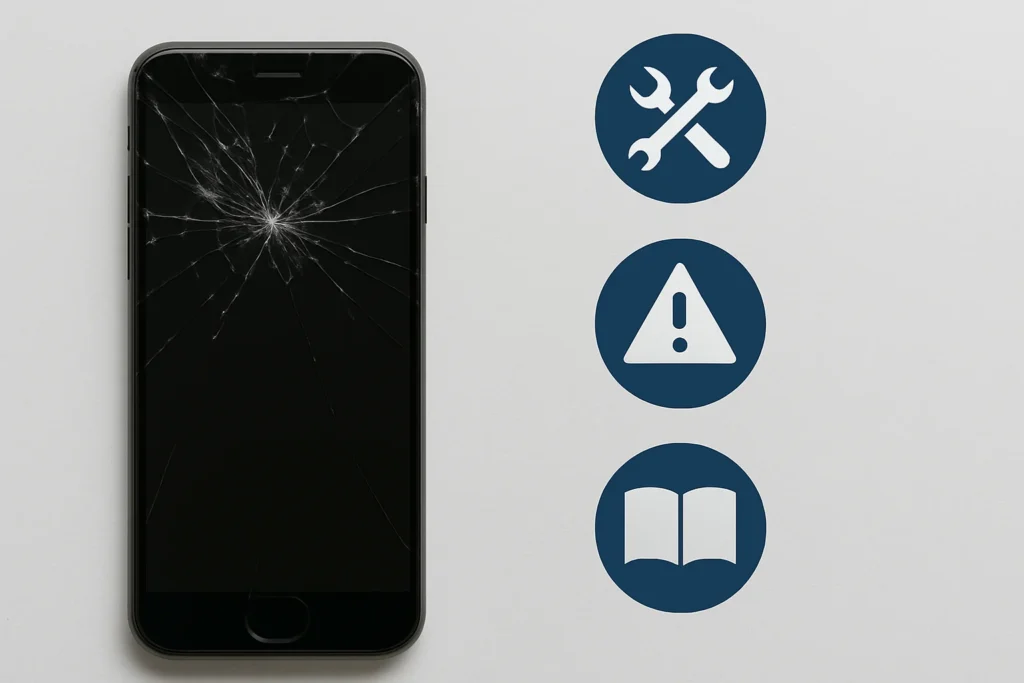
I remember the first time I dropped my phone. The screen shattered, and I felt a mix of shock and worry. Many of us have been there, facing a cracked screen. It’s common and frustrating. Screens can be costly to fix, but it’s important to do it right.
When my screen broke, I thought I could fix it myself. Many people think it’s easy. But a small mistake can lead to bigger problems. Before fixing a screen, it’s crucial to understand the process.
Avoiding Common Pitfalls
One big mistake is not having the right tools. I learned this the hard way. It’s tempting to use whatever is at home. But tools for screen repair are specific. Using the wrong ones can damage the phone more.
Another error is not following instructions. I once skipped a step because I was in a hurry. This made the repair worse. Always read the guide carefully. It may seem long, but every step is important.
The Importance of Quality Parts
Using low-quality parts is another common mistake. I tried using a cheaper screen once. It didn’t last long and looked bad. Investing in good parts is always better.
Cheap parts might save money at first. But they can cause more problems later. It’s better to use parts from trusted sources. This ensures the screen works well and lasts longer.
Not Preparing Adequately Before Repair
Understanding the Repair Process
Before starting any cell phone screen repair, I make sure to understand the entire repair process. Without knowing the steps, I risk making mistakes that could damage my phone further. I find it helpful to watch tutorial videos and read detailed guides. This gives me insights into what to expect and helps me identify the tools I need. Sometimes, I am tempted to jump right in, but preparation saves a lot of time and frustration.
Another important step is to familiarize myself with the phone model I am repairing. Each phone can have different screen replacement instructions. Even minor variations can lead to significant issues if not addressed correctly. I also check if my phone is under warranty. A warranty can sometimes cover the repair cost or lead to free professional service.
Gathering the Right Tools
When planning to repair a cell phone screen, having the right tools is essential. I ensure I have a precise screwdriver set, suction cups, and opening picks. These tools make the process smoother and reduce the chances of causing additional damage. I remember to double-check that I have the correct tools specific to my phone model. This helps prevent frustrating delays during the repair.
I also ensure that I have a clean and well-lit workspace. A clutter-free area helps me keep track of small components. It reduces the risk of losing screws or other tiny parts. I like to use a small container to hold these parts as I work. Adequate lighting allows me to see each component clearly, ensuring I do not miss any crucial details.
Ensuring Backup and Safety
Before starting the repair, backing up my phone’s data is crucial. Even if I do not anticipate problems, unexpected issues might arise. Losing important photos, contacts, and files would be upsetting. I use cloud services or a computer to save this data safely. This step helps me feel secure about my decision to proceed with the repair.
Safety is also a key consideration. I wear anti-static wristbands to prevent electrostatic discharge that can damage internal components. Additionally, I ensure my phone is powered off and unplugged before opening it. These safety measures protect both me and my phone from potential harm. Being prepared with these steps helps me approach the repair with confidence.
Ignoring Manufacturer’s Guidelines
Why Manufacturer’s Guidelines Matter
When I set out to fix a cell phone screen, I often think I know best. I might want to skip reading the manufacturer’s guidelines. After all, it seems faster to just get started. But not following these instructions can lead to big mistakes. The guidelines are there for a reason. They include specific steps that ensure the repair goes smoothly and safely. They often mention special tools needed and specific ways to handle the delicate parts. By ignoring them, I increase the risk of damaging the phone even more.
Manufacturers design phones differently. Each brand has its own way of putting things together. Sometimes, a screen has tiny parts or special screws that need a certain tool to remove. If I don’t follow the guidelines, I might miss these details. This can lead to breaking parts or making the repair more difficult. Not to mention, some phones have special features that require careful handling. Knowing these details helps prevent accidents during repair.
Common Mistakes When Not Following Guidelines
Skipping the guidelines might seem like a time-saver, but it actually leads to common mistakes. One mistake is using the wrong tools. Without the manual, it’s easy to grab any screwdriver that looks right. But using the wrong tool can strip screws or even crack the screen further. Another mistake is prying the screen too hard. Without understanding the design, it’s easy to apply too much force, breaking connectors or bending the frame.
The guidelines also often tell me how to disconnect the battery safely. Forgetting this step can be dangerous. There’s a risk of shorting the battery or damaging other internal parts. When I follow the instructions, I learn the right order of steps. This keeps the phone safe and makes sure each part is handled correctly. Following the specific steps also means I am less likely to lose tiny screws or parts during the process.
Benefits of Following the Guidelines
Following the manufacturer’s guidelines ensures a smoother repair process. It reduces the chances of damaging the phone further, which saves time and money. When I follow these instructions, I learn the best practices for handling each part of the phone. This not only helps with the current repair but also builds my skills for future repairs.
By using the right tools and methods, I keep the phone in good condition. This means the repair is more successful, and the phone works as it should afterward. Following the guidelines also boosts my confidence in the repair process. Knowing I am doing it the right way makes the task less stressful and more rewarding. It turns a challenging repair into a learning experience, all by simply following the steps laid out in the guidelines.
Rushing Through the Repair Process
Understanding the Importance of Patience
When I start a cell phone screen repair, patience is my best friend. It is tempting to rush and finish quickly. However, hurrying can lead to mistakes.
I need to be careful with each tool. Mishandling them can cause more damage to the phone. Patience helps me handle even the tiniest screws and parts with care.
I make sure I am working in a calm environment. This keeps me focused on each step of the repair process.
Following Each Step Carefully
I always follow each step in the repair guide. Skipping steps can lead to problems later. Sometimes I feel like I already know what to do, but it is important to check my guide.
During screen repair, I need to remove many parts. I keep track of each part I remove. Being careful helps me put everything back correctly.
I also pay attention to the order of steps. Doing things out of order can make the repair take longer or cause issues.
Avoiding Common Shortcuts
Rushing makes me want to take shortcuts. But shortcuts in phone repair can lead to errors. For example, skipping the step to turn off the phone can cause it to short-circuit.
I know it is important to use the right tools. Using something like a kitchen knife instead of a proper tool can damage the phone even more.
Some people suggest using DIY methods, but I stick to trusted guides and tools. Avoiding shortcuts means my repair is successful and the phone works well again.
Conclusion
Double-Check Your Tools and Materials
When I attempt a cell phone screen repair, I always start by checking my tools. Having the right tools is half the battle. I ensure I have all the necessary screwdrivers, tweezers, and cleaning cloths ready. I find it useful to lay them out neatly. This way, I know where everything is at all times. Making sure I have the right replacement parts is also crucial. I always double-check that the new screen matches my phone model exactly. This prevents any surprises during the repair.
Another important step is verifying the quality of the replacement screen. I take a close look at it to make sure there are no scratches or cracks. I find it helpful to buy from trusted sellers only. This minimizes the chances of receiving low-quality parts. By being cautious with my tools and materials, I avoid common mistakes that could make the repair harder.
Follow Instructions Carefully
Reading instructions thoroughly is key for me. I make sure to understand each step before starting the repair. This helps me avoid doing things out of order. I usually like to watch a video tutorial as well. Seeing someone else do it gives me confidence and reduces the chance of error. Following instructions prevents mishaps like breaking small parts or damaging the screen further.
While repairing, I take my time and work slowly. Rushing often leads to mistakes. I pay close attention to where each screw belongs and place them in labeled containers. This way, reassembling the phone becomes easier for me. Careful following of instructions gives me a sense of achievement once the phone is fixed.
Ensure Safety First
I always make sure to turn off the phone before starting the repair. This is a simple step, but it prevents accidents like short circuits. Removing the battery safely is another step I don’t skip. This gives me peace of mind and protects the phone. Keeping safety in mind, I work in a clean, well-lit area. This helps me see everything clearly and avoid unnecessary damage.
Safety is not just about the phone. I protect myself too. I wear safety glasses to keep small parts from getting into my eyes. By prioritizing safety, I feel more confident while working. It keeps the process smooth and reduces the stress of potential hazards. My goal is always to finish the repair without any injuries or extra damage.
What should I do if I drop my phone and the screen shatters?
It’s important to assess the damage and consider getting the screen repaired. Attempting to fix it yourself without proper knowledge and tools can lead to further issues.
Is it safe to attempt a DIY screen repair?
While DIY repairs are possible, they come with risks. Without the right tools and knowledge, you might cause more damage. It’s crucial to understand the repair process before proceeding.
FAQs
What tools do I need for a screen repair?
You will need specific tools such as a precise screwdriver set, suction cups, and opening picks. Ensuring you have the correct tools for your phone model is essential for a successful repair.
Why is it important to use quality parts for screen repair?
Using low-quality parts can result in a poor repair that may not last long. Investing in good quality parts from trusted sources ensures the screen functions well and lasts longer.
How can I prepare for a screen repair?
Familiarize yourself with the repair process by watching tutorial videos and reading detailed guides. Also, ensure you have a clean and well-lit workspace, and back up your phone’s data.
What are the risks of not following the manufacturer’s guidelines?
Ignoring the manufacturer’s guidelines can lead to mistakes, such as using the wrong tools or damaging sensitive components. These guidelines are crucial for a safe and effective repair.
What common mistakes should I avoid during a repair?
Avoid using the wrong tools, skipping steps, or rushing through the process. Each step is important to prevent further damage to your phone.
Why is patience important during the repair process?
Rushing can lead to mistakes and damage. Taking your time allows for careful handling of each part and ensures a more successful repair.
What should I do to ensure safety while repairing my phone?
Always turn off your phone before starting the repair, wear safety glasses, and use anti-static wristbands to prevent damage to internal components.
How can I keep track of small parts during the repair?
Using labeled containers to hold screws and small components can help you keep track of everything. This makes reassembling the phone easier and more organized.